6 Best Table Stands For Ergonomic Posture To Use
Improve your workspace with these 6 top-rated table stands. Discover how ergonomic design reduces neck strain and boosts productivity for a healthier setup.
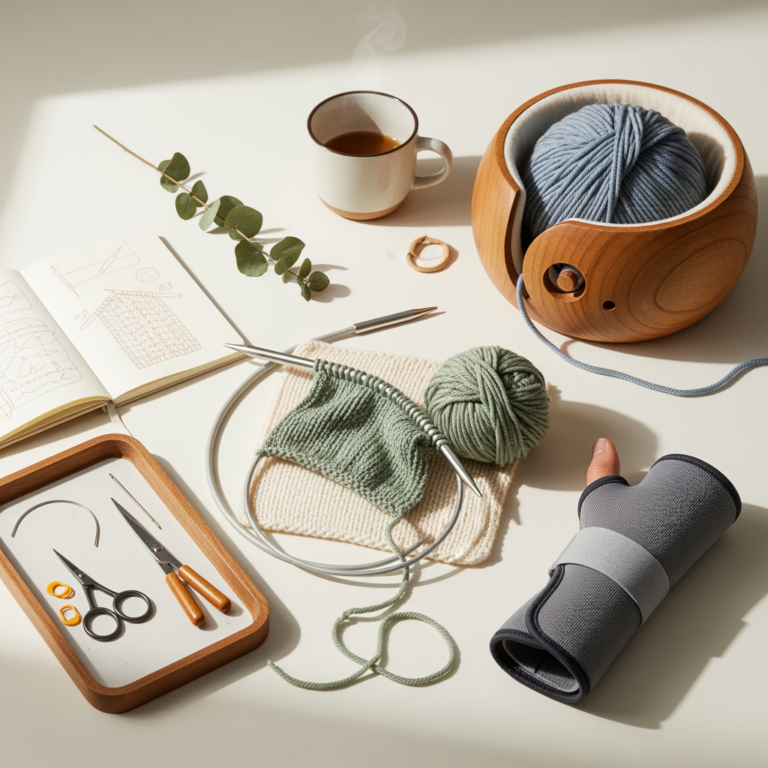
Many knitters spend hours hunched over their needles, unknowingly inviting neck strain and repetitive stress injuries into their craft. Integrating a quality tablet stand into your setup transforms your knitting station from a source of physical fatigue into an ergonomic sanctuary. By elevating your patterns to eye level, you can maintain a neutral spine while tackling even the most complex charts. These six stands offer the stability and versatility necessary to keep your focus on your stitches, not your aching shoulders.
Lephtinc Adjustable Tablet Stand: Best Overall
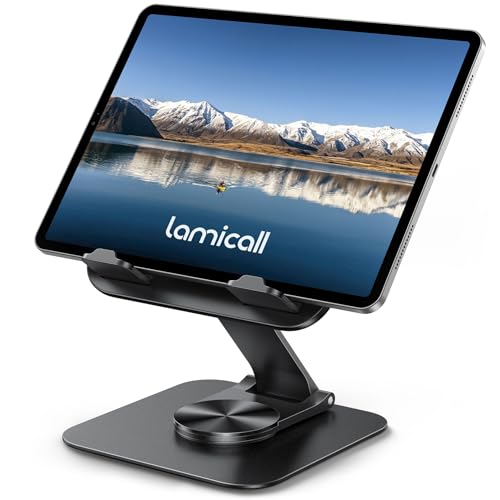
The Lephtinc stand is a workhorse that handles the weight of a heavy tablet or a thick printed pattern binder with ease. Its sturdy aluminum construction provides the kind of rock-solid stability you need when you are deep into a complex lace shawl and cannot afford a wobbly screen.
What makes this stand a standout for knitters is its multi-angle adjustability. You can easily tilt it to combat glare from your living room lamp, which is essential when working with dark-colored yarns where stitch definition is already hard to spot.
However, keep in mind that this is a desktop-bound piece of gear. It isn’t designed for portability, so if you are a "knit-on-the-go" enthusiast, you will likely need to leave this one on your dedicated crafting desk.
AboveTEK Long Arm Tablet Mount: Best for Reclining

If you prefer to knit in your favorite armchair, the AboveTEK long arm mount is a game-changer. Its reach allows you to position your pattern directly in front of you, even if your chair is far from a side table.
This mount is particularly helpful for those long evening sessions where you want to lean back. By bringing the pattern to your line of sight, you eliminate the "knitter’s hunch" that occurs when you constantly look down at a pattern resting on your lap.
The tradeoff here is the installation process, as it requires a sturdy surface to clamp onto. Ensure your end table or armrest is thick enough to handle the pressure, or you risk damaging your furniture while trying to achieve the perfect angle.
Lamicall Gooseneck Phone Holder: Best Flexibility

The Lamicall gooseneck is the ultimate tool for knitters who move around their workspace frequently. Its flexible arm allows you to twist and bend your phone or small tablet into positions that rigid stands simply cannot reach.
I find this especially useful when I am working on stranded colorwork that requires checking a chart every few stitches. You can bend the neck so the screen sits right next to your needles, minimizing the distance your eyes have to travel.
Just be aware that goosenecks can suffer from "bounce" if you are a vigorous knitter. If you tend to knit with a lot of movement, the screen may vibrate slightly, which might be distracting during intricate cable work.
Tryone Gooseneck Tablet Mount: Best for Bedside

For the late-night knitters who like to finish just one more row before bed, the Tryone mount is a reliable companion. It clamps firmly to a headboard or nightstand, keeping your pattern securely in place while you relax.
The reinforced arm is stiffer than most, which is a massive plus for heavier tablets. This stability ensures that your chart stays exactly where you left it, even if you bump the bed while reaching for your project bag.
The limitation, of course, is the reach. Measure your setup before purchasing, as the arm length is fixed; if your headboard is too thick or uniquely shaped, you may find the mounting options limited.
UGREEN Tablet Stand Holder: Best Desktop Option

The UGREEN stand is a masterclass in minimalist design, perfect for those who keep a tidy, organized knitting space. It folds down completely flat, making it an excellent choice if you share your crafting table with other household projects.
Its weight-to-size ratio is impressive, capable of supporting larger tablets without tipping over. This is vital when you are using a digital pattern app that requires frequent tapping or zooming, as the stand remains steady under pressure.
While it is compact, it lacks the height of the gooseneck options. You will need to place it on a stack of books or a riser if you want to bring your pattern to true eye level to protect your neck.
Moft Invisible Laptop Stand: Best for Portability

If you carry your knitting and your tech to workshops or knitting circles, the Moft stand is your best friend. It adheres directly to the back of your device, meaning you never have to worry about forgetting your stand at home.
It is incredibly slim, adding virtually no weight to your gear bag. This makes it perfect for minimalist knitters who prefer to travel light with just a pair of needles, a ball of yarn, and a tablet.
The tradeoff is that it only offers a few fixed angles. If you find that your specific chair height requires a very specific tilt to prevent neck strain, you might find the limited adjustment options a bit restrictive.
Why Ergonomics Matter for Your Knitting Posture
Knitting is a repetitive motion sport, and your posture dictates how long you can play. When you look down at your lap for hours, you place immense strain on your cervical spine, often leading to tension headaches and chronic shoulder pain.
By using a stand to bring your pattern to eye level, you keep your head in a neutral, upright position. This small adjustment takes the weight of your head off your upper back muscles, allowing you to knit longer without fatigue.
Remember, ergonomics isn’t just about comfort; it’s about longevity. If you want to be knitting well into your later years, you must treat your body with the same care you give your handmade garments.
How to Position Your Patterns While You Stitch
The goal is to keep your eyes forward, not down. Position your stand so that the top third of your pattern is at eye level, which naturally encourages your chin to stay tucked and your shoulders to stay relaxed.
If you are using a chart, place the stand at a distance where you can read the symbols clearly without squinting. If you find yourself leaning in, your stand is too far away; if you find yourself looking down, your stand is too low.
Don’t be afraid to adjust your setup throughout the day. As your body tires, you may need to shift your chair or the angle of your stand to maintain that healthy, neutral alignment.
Essential Tips for Reducing Neck and Back Strain
- Take Micro-Breaks: Every 30 minutes, put your needles down and perform a simple neck roll or shoulder shrug.
- Check Your Chair: Ensure your feet are flat on the floor; if your legs are dangling, your lower back will compensate, leading to discomfort.
- Lighting is Key: Use a dedicated task light to illuminate your work, so you aren’t forced to lean in to see your stitches.
- Mind Your Tension: If you find your shoulders creeping up to your ears, you are likely knitting too tightly; take a breath and consciously drop your shoulders.
Frequently Asked Questions About Knitting Stands
Do I really need a stand for paper patterns? Yes, a stand is just as important for paper as it is for digital screens. You can use a document clip or a magnetic board on your stand to keep your place.
Will these stands work with heavy tablets? Most of the stands listed here support standard tablets, but always check the weight capacity if you are using a large, heavy professional-grade tablet.
Can I use these stands for my knitting needles? These are designed for tablets and patterns, not as needle holders. Using them to hold heavy knitting projects can cause them to tip over or damage the hinges.
Investing in an ergonomic setup is one of the best gifts you can give your knitting practice. By choosing the right stand, you effectively lower the physical barrier between you and your next finished project. Start by evaluating your favorite knitting spot, then select the tool that best bridges the gap between your eyes and your pattern. Your neck, shoulders, and future self will thank you for the extra attention to detail.